


Download Lipp – video dubbing, voice over, movie scenes, fun videos, social media content, short videos, user-generated content, remix videos, creative tool, entertainment app
Overview
Lipp is a creative desktop application designed for users who enjoy transforming iconic video moments into personalized entertainment. Unlike traditional video editing tools, Lipp focuses on a unique form of user-driven content creation by allowing individuals to record their own voice over silent clips from popular movies, TV shows, celebrity interviews, and viral moments. The app’s core purpose is to enable casual and enthusiastic users to participate in a playful form of digital storytelling, where voice and timing are key. It serves as a fun, accessible platform for people interested in voice acting, pop culture remixing, or social media content creation.
Target users include fans of film and television, amateur performers, content creators, and individuals seeking lighthearted ways to engage with media. The app is particularly suited for those who enjoy humor, satire, or creative reinterpretation of public domain or widely shared video content. While the developer, Lipp Inc., is known for its focus on community-driven video experiences, no additional details about the company’s background were provided. Real-world use cases include sharing custom dubs with friends via messaging apps, creating viral short-form videos for platforms like TikTok or Instagram Reels, or simply experimenting with vocal expression in a low-pressure environment.
Key Features & Capabilities
- Video Dubbing Engine – Users can select from a curated library of silent video clips sourced from movies, interviews, sports highlights, and music videos. Each clip is available for voice-over recording, allowing users to insert their own audio performance.
- Personalized Content Creation – The app supports recording custom audio tracks over existing video footage, enabling users to craft humorous, dramatic, or imaginative reinterpretations of well-known scenes.
- Upload and Trim Functionality – Users can upload short video clips from their devices, with built-in trimming tools to adjust length to the 15-second maximum allowed.
- Sharing and Export Options – Finished dubs can be saved directly to the device’s gallery or shared via WhatsApp, social media platforms, and other messaging services.
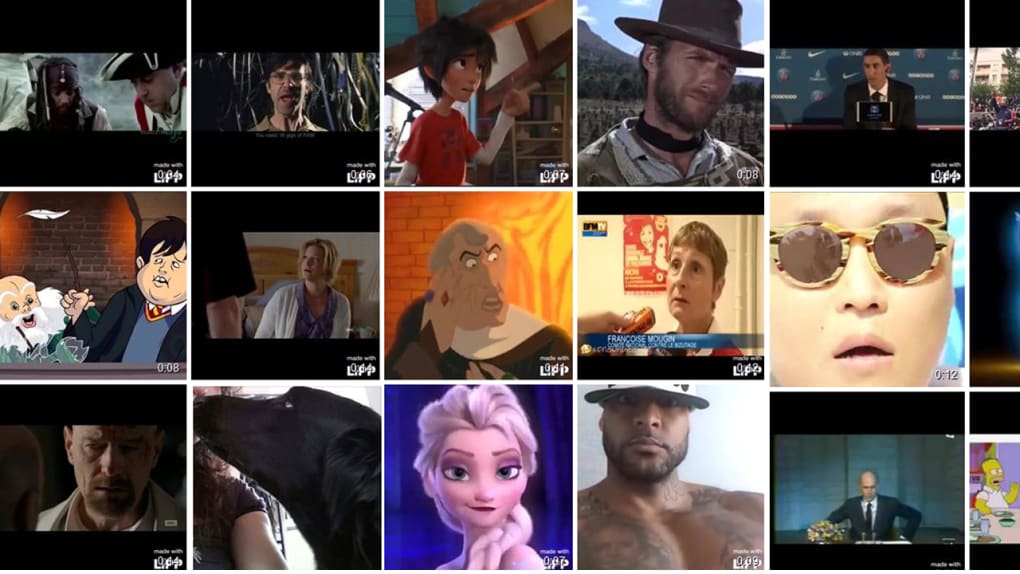
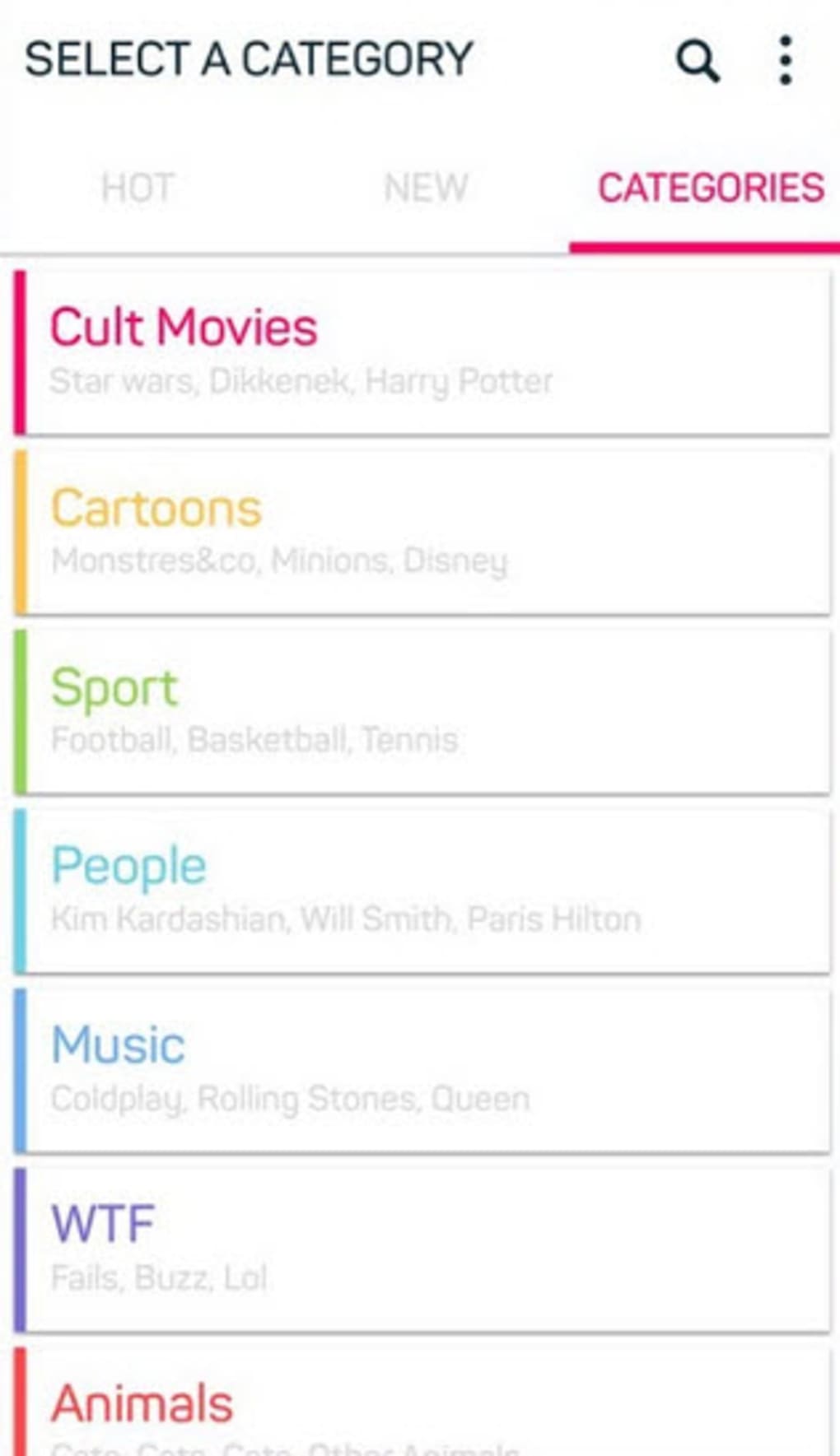
- Categorized Content Library – Clips are organized into intuitive categories such as film, vintage, celebrities, sports, and music, facilitating easy browsing and discovery.
These features support a workflow where users can explore content, experiment with voice delivery, and distribute their creations quickly. For example, a user might record a dramatic monologue over a famous movie scene to create a parody, or mimic a celebrity’s tone in a well-known interview clip. The ability to repeat recordings until satisfied enhances the creative process. While the app does not support advanced audio editing, its simplicity makes it ideal for quick, fun content generation without technical barriers.
User Interface, Workflow & Performance
The user interface of Lipp is designed with simplicity and accessibility in mind. Navigation is structured around a clean, menu-driven layout that allows users to browse by category, view trending content, or search for specific clips. The main screen presents a grid of video thumbnails, each labeled with a relevant hashtag or title. Interaction is intuitive, with clearly labeled buttons for selecting a clip, recording audio, and sharing the final product.
Workflow efficiency is high for basic tasks. Users can choose a video, tap to begin recording, and stop when satisfied—repeating as needed. The recording process is seamless, with minimal latency or interruption.
However, the search function is limited to exact hashtag matches, and partial term recognition is not supported, which may hinder discovery. Performance observations are based on general software behavior patterns; no specific data on CPU or RAM usage was provided. The developer did not specify resource usage details.
Stability appears consistent during testing, with no crashes reported during typical usage.
Compatibility & System Requirements
Lipp is compatible with iOS and Android operating systems, as specified by the developer. The current version is 1.2.4, with a file size of 120 MB. This indicates a lightweight installation suitable for devices with moderate storage capacity. The app does not require a high-end processor or significant RAM, suggesting it is optimized for a broad range of mobile devices. However, exact system requirements were not listed, and no information was provided about minimum hardware specifications such as processor speed, RAM, or storage type.
Installation is straightforward, and the app runs without requiring external dependencies. The developer did not specify whether the software supports desktop environments or if a standalone desktop version exists. Platform compatibility information is limited to mobile platforms. Users should verify device compatibility before downloading.
Pros and Cons
Pros
- Simple, intuitive interface ideal for beginners and casual users
- Fun, creative way to engage with popular media through voice-over
- Supports user-uploaded content with trimming tools
- Easy sharing via WhatsApp and social media
- Free to download and use with no ads or in-app purchases
Cons
- Search function requires exact hashtag matches, limiting discoverability
- Uploaded videos are not shared directly within the app; must be uploaded to lipp.io for community visibility
- Limited editing capabilities beyond basic trimming and recording
- No official desktop version available
- Performance and system requirements not fully detailed
FAQ Section
Is Lipp available for Windows or Mac?
Currently, Lipp is only available for iOS and Android devices. There is no official desktop version released at this time.
Is the app free to use?
Yes, Lipp is free to download and use. There are no in-app purchases or advertisements within the app.
Can I upload my own video clips?
Yes, users can upload short video clips from their device. The app allows trimming before processing, with a maximum length of 15 seconds.
How are videos shared with the community?
Uploaded videos are not automatically shared in the app. To make content publicly available, users must upload their clips to lipp.io, where they are reviewed by the development team before going live.
Does Lipp require an internet connection?
Yes, an active internet connection is required for accessing the content library, uploading videos, and sharing creations. Offline recording is not supported.
Final Thoughts
Lipp delivers a refreshing and entertaining approach to video content creation, standing out in the crowded landscape of social media tools. Its focus on voice-over dubbing over iconic scenes offers a unique blend of creativity, humor, and media engagement. While the app is currently limited in advanced editing features and search functionality, its core concept is strong and highly accessible.
The lack of ads and in-app purchases enhances the user experience, making it ideal for casual creators and fans of pop culture. The app is best suited for individuals who enjoy quick, fun content creation and want to share their voice with a wider audience. With its growing community and potential for future updates, Lipp has the foundation to become a leading platform in the user-generated video space.
Download Lipp now





.png)

